
Quick Lineup Mobile App — Build Football Lineups on iPhone and Android
Quick Lineup is a football lineup builder for iPhone and Android. It ships 37 formations, covers squads from 5 to 11 players, and asks for no account. Saved lineups are tied to an anonymous device ID rather than a login.
The app is free to download on both stores. It carries ads, and one purchase removes them permanently. No subscription.
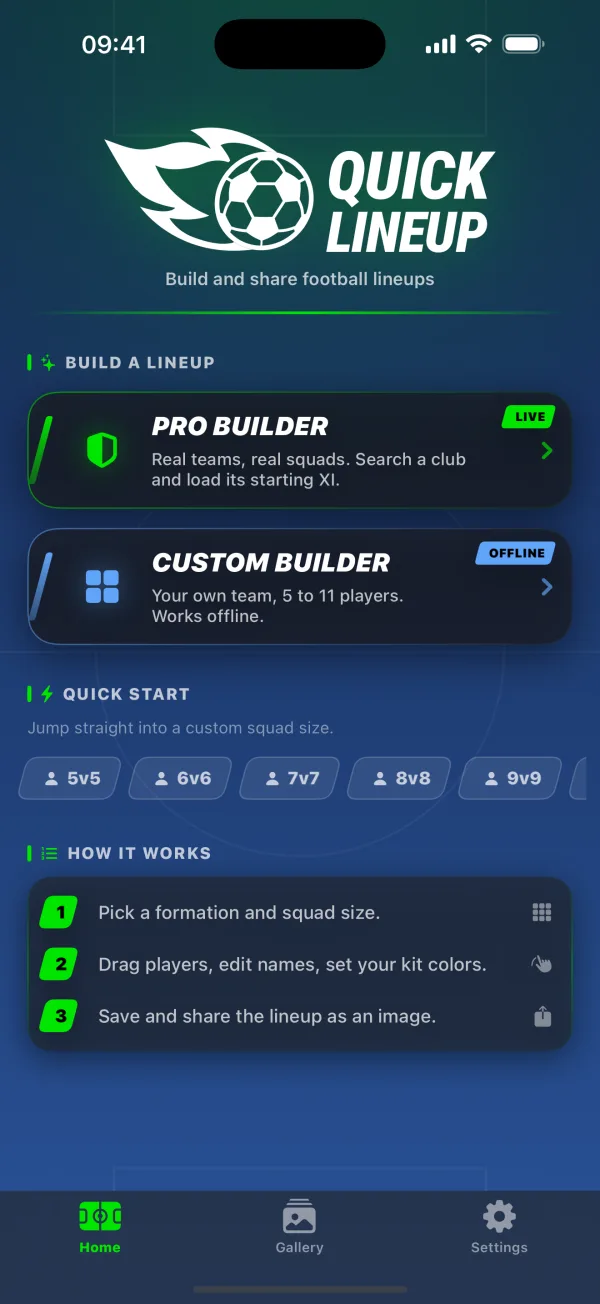
Two builders, and they work differently
Pro Builder
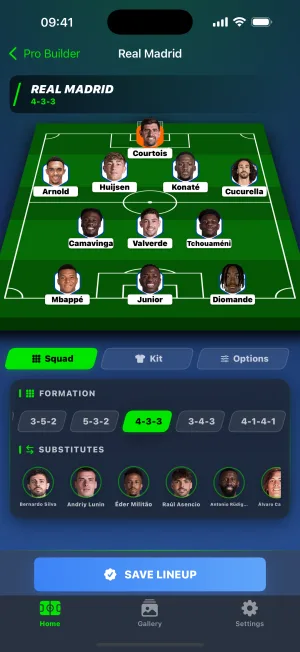
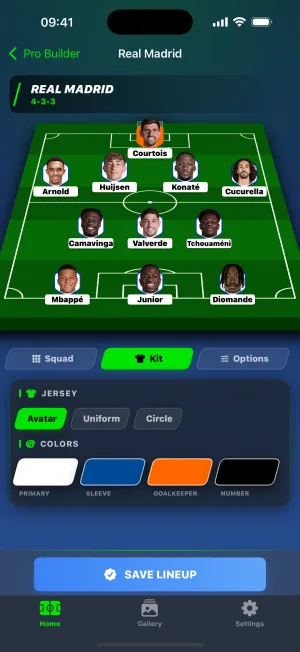
Search for a club and its current starting XI arrives with the substitutes attached underneath. Swap someone out, change the shape, or run a player search to bring in a name who is not in that squad at all. This is the half that needs a connection.
Custom Builder
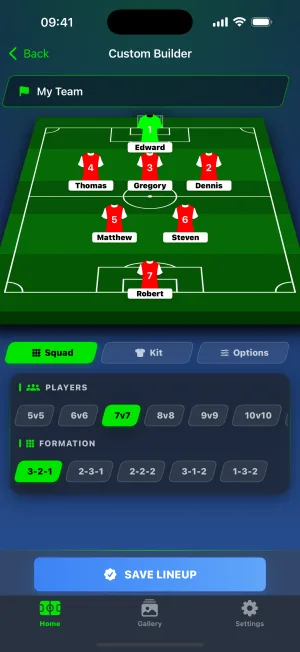
You name the team, name the players, set numbers, ratings, goals and cards. Anywhere from 5 players to 11. It never touches the network, so it works on a plane.
The formation files sit on the device rather than being fetched: five shapes each for 5, 6, 7, 8, 9 and 10-player squads, and seven for 11-a-side. Thirty-seven in total. None of them are fixed. Drag a player out of their default slot and they stay where you put them.
How it works
- Pick a formation and a squad size.
- Drag players into place, edit their names, set your kit colours.
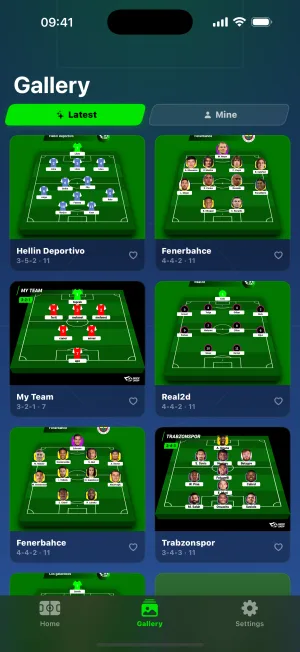
- Save the lineup as an image, or share the link.
Kit colours run to four: shirt, sleeve, number and a separate one for the goalkeeper. Three jersey styles, if you count the plain circle as a style.
iOS, Android and the web version compared
Close, but not identical. Two differences are worth knowing before you pick one.
| Feature | iPhone | Android | Web |
|---|---|---|---|
| Pro Builder (real squads) | Yes | Yes | Yes |
| Custom Builder, 5–11 players | Yes | Yes | Yes |
| Works offline | Yes | Yes | No |
| Formations | 37 | 37 | 37 |
| Save as PNG | Yes | Yes | Yes |
| Share link | Yes | Yes | Yes |
| Matchday reminders | Yes | No | No |
| Interface languages | English, Turkish | English, Turkish | 19 languages |
| Account required | No | No | No |
| Ad-free option | One-time purchase | One-time purchase | No |
| Minimum version | iOS 16.0 | Android 7.0 | Any modern browser |
Matchday reminders exist only on iPhone. The notification code was ported to Android as well, but it ships switched off, so nothing is scheduled and nothing arrives.
The app interface is English and Turkish. The web version runs in 19. If you want the builder in Spanish, German or Japanese, open it in a browser instead. Building a lineup is mostly dragging things, so the language barrier is thinner than it sounds, but the menus will be in English.
What the browser cannot do is work without a connection.
Free, with ads you can switch off
Quick Lineup costs nothing to install on either store. The free version shows three kinds of ad: one when the app opens, one after you save a lineup, and a short video if you want to open somebody else's shared lineup in the builder.
One purchase turns all of it off. It is a one-time product rather than a subscription, and it stays with the store account, so a new phone keeps it after a restore.
Frequently asked questions
Is the Quick Lineup app free?
Yes. Quick Lineup is free to download on both the App Store and Google Play. The free version shows ads, and a single one-time purchase removes them permanently for that store account. There is no subscription and no paid tier beyond ad removal. All 37 formations, both builders, image export and link sharing work without paying anything.
Do I need an account to use it?
No. Quick Lineup has no login, no email step and no user profile. Saved lineups are tied to an anonymous identifier the app generates on first launch, which is also what the gallery's like button uses. The trade-off is that lineups do not follow you to a new phone. Reinstalling issues a fresh identifier and the saved list starts empty.
What is the difference between the app and the website?
The app works offline and the website does not. Custom Builder runs entirely on the phone, so you can build a squad with no signal at all; only generating a share link needs a connection. The website wins on language: quicklineup.com runs in 19 languages, while the app interface is English and Turkish.
How many formations does the app include?
Thirty-seven. Five formations each for 5, 6, 7, 8, 9 and 10-player squads, plus seven for 11-a-side. They ship inside the app rather than being downloaded, which is why Custom Builder works with no connection. Every shape is a starting point: drag any player off their default position and they stay where you drop them.
Can I build 5-a-side and 7-a-side lineups?
Yes. Quick Lineup covers every squad size from 5 to 11 players, which includes the 5, 6 and 7-a-side formats most indoor and small-sided leagues use. Pick the number on the home screen and the app offers the five formations built for that size. Kit colours, names, numbers and ratings behave the same at every size.
Can I use real club squads?
Yes, through Pro Builder. Search for a club and the app loads its current squad, with the starting XI on the pitch and substitutes listed below it. You can promote a substitute, change the formation, or search for a player from another club and drop them in. Pro Builder needs a connection. Custom Builder is the offline one.
Prefer to stay in the browser? The lineup builder runs on the web in 19 languages. Open the lineup builder