
Quick Lineup for Android — Free Football Lineup Builder
Quick Lineup for Android runs on Android 7.0 and later. The build on Google Play was rewritten in Kotlin and Jetpack Compose in August 2026, replacing a Unity version that was slower to open and much larger to install.
Free to download, with ads, and one purchase to switch them off.
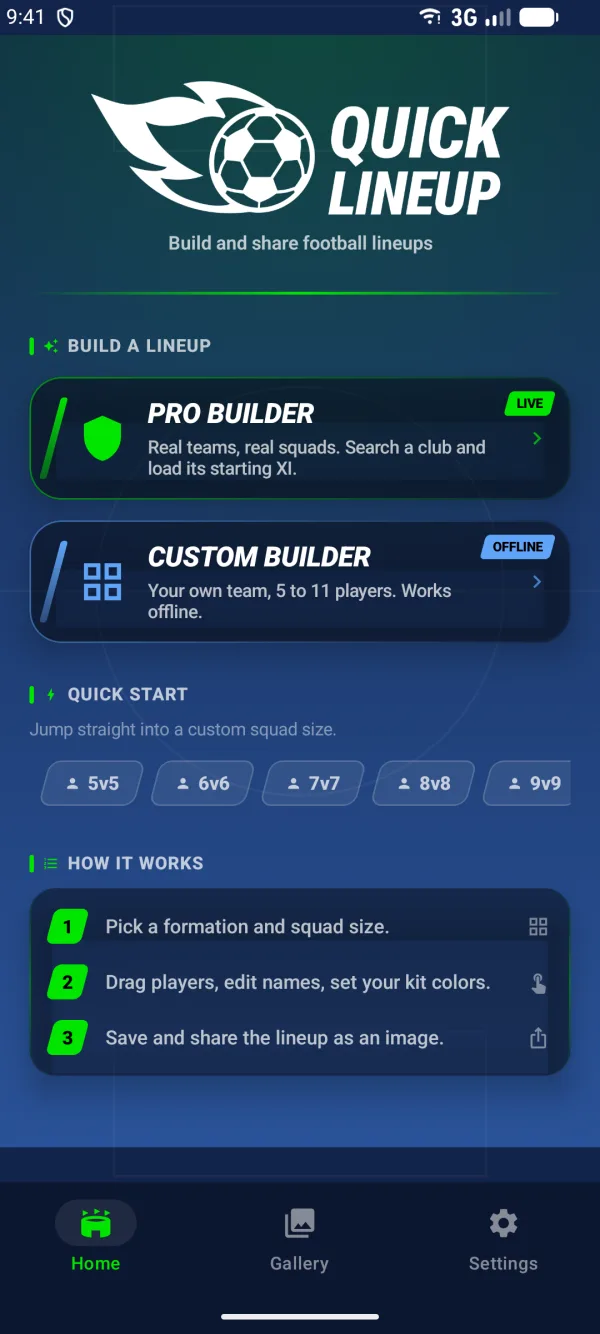
Five screens, in the order you meet them
Custom Builder works with no connection
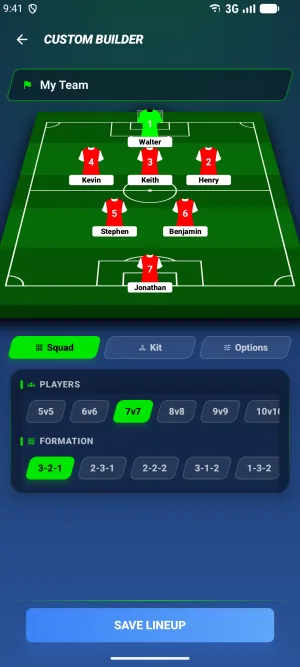
This is the part worth knowing before you install. Custom Builder holds everything it needs on the phone: all 37 formation files, the jersey shapes, the pitch. No request goes out while you build.
Which means it works on the pitch itself, where the signal usually dies. Sort out who is playing, then send the picture when you are back on wifi. The only step that needs a connection is generating the share link, and even then the lineup is already saved on the device.
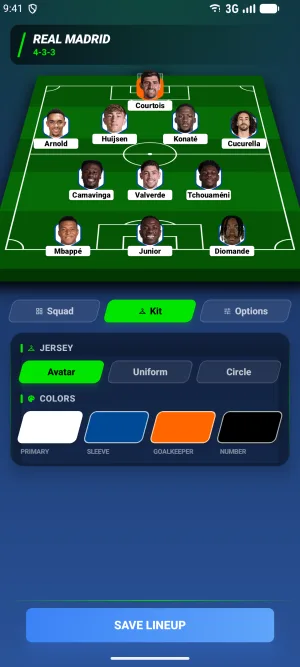
Squad sizes run 5 to 11. You set names, numbers, ratings, goals, cards, the team name, and four kit colours with the goalkeeper on a separate picker.
Pro Builder: real clubs, current squads
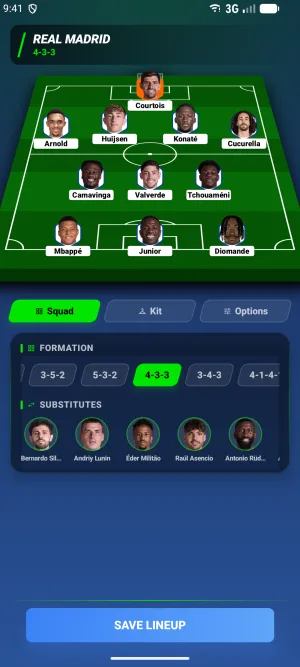
Search for a club and Quick Lineup loads its squad: starting XI on the pitch, substitutes in a list underneath. Promote a substitute, change the formation, or search for a player from another club and put them in the eleven.
Pro Builder is the half that needs a network. If you are offline, Custom Builder is still there.
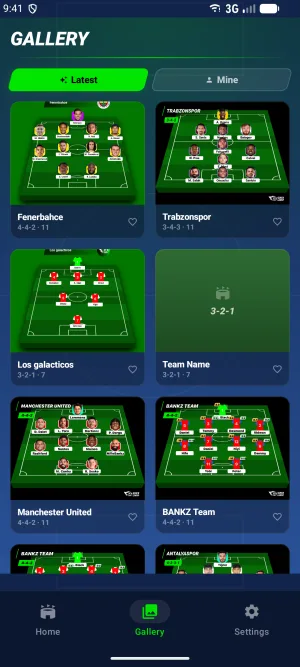
Save to your gallery, or share the link
A finished lineup renders as a PNG and saves straight to your photo gallery. On Android 10 and later that needs no storage permission at all.
Each saved lineup also gets a link on quicklineup.com. Copy it, or push it into the Android share sheet and send it wherever you normally send things.
Remove ads with a one-time purchase
The free version shows three ads: one when the app opens, one after you save a lineup, and a short video before you can open somebody else's shared lineup in the builder.
One purchase removes all three. It is a one-time Google Play product, not a subscription, and it is tied to your Google account, so it restores on a new phone. Settings has a restore button if it does not come back on its own.
Android is the one version without notifications. Nothing is scheduled and nothing arrives.
Requirements
| Android version | 7.0 or later |
|---|---|
| Interface languages | English, Turkish |
| Content rating | PEGI 3 |
| Price | Free, with a one-time in-app purchase to remove ads |
| Latest update | August 2026 |
Frequently asked questions
What Android version does Quick Lineup need?
Android 7.0 or later. The current build was rewritten in Kotlin and Jetpack Compose and shipped in August 2026, replacing the older Unity version. On Android 10 and later, saving a lineup to your gallery needs no storage permission, since the app writes through the system media store rather than asking for file access.
Does Quick Lineup work offline?
Custom Builder does, completely. All 37 formations and the jersey graphics ship inside the app, so building a squad from scratch needs no connection at any point. Only creating a share link goes to the network, and the lineup is saved on the device either way. Pro Builder is the exception: loading a real club's squad needs a connection.
What languages does the Android app support?
English and Turkish. You choose on first launch and can switch in Settings afterwards. The web version at quicklineup.com covers 19 languages, so use a browser if you want the builder in Spanish, German, Japanese or one of the others.
How do I remove ads, and is it a subscription?
It is a one-time purchase, not a subscription. Buy it from the home screen or from Settings and all three ad placements stop: the launch ad, the one after saving, and the video before opening a shared lineup. The purchase belongs to your Google account and restores on a new phone, with a restore button in Settings as a backup.
Can I build 5-a-side and 7-a-side lineups?
Yes. Squad sizes run from 5 to 11 players, with five formations built for each size below 11 and seven for the full eleven. Pick the number straight from the home screen and the app opens Custom Builder at that size. Everything else works the same regardless of size: names, numbers, ratings, cards and the four kit colours.
Prefer to stay in the browser? The lineup builder runs on the web in 19 languages. Open the lineup builder